Phone — NFC will not read a compatible tag
Check a compatible ordinary tag without making payments.
Difficulty
Easy
Time
5–25 min
Cost
—
Symptoms
- NFC reading fails through the case
Possible causes
1Metal case or incorrect tag placement
Less likelyThis is a possible explanation, not a confirmed diagnosis. Compare it with the safe checks below.
- Confirm the phone and tag support the same reading method. Do not scan unknown tags or links.
Initial checks
- Confirm the phone and tag support the same reading method. Do not scan unknown tags or links.
- Unlock the phone and enable NFC if available. Find the antenna position. Do not change wallet security settings.
- Remove a case containing metal or cards. Hold the tag as instructed for a few seconds. Compare with another known tag.
Step-by-step repair instructions
- 1
Prepare a safe place
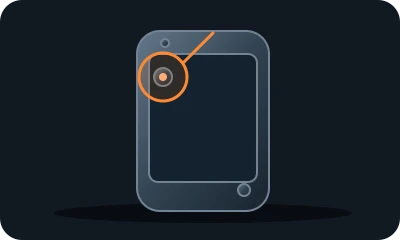
Reference diagram. The marker shows an example inspection area. Follow your model's manual. 
Conceptual illustration. Follow the text and your model's manual. Find the manual and model identifier. Photograph the initial condition. Start with reversible checks that do not open the casing or require force.
Expected result: You understand the model instructions and can safely perform the listed tasks.
About 3 min
Stop if: The model, access or safe preparation is unclear.
- 2
Check NFC support
Reference diagram. The marker shows an example inspection area. Follow your model's manual. Conceptual illustration. Follow the text and your model's manual. Confirm the phone and tag support the same reading method. Do not scan unknown tags or links.
Expected result: You have a known compatible tag.
About 4 min
Stop if: The tag opens an unknown address or requests data.
- 3
Set up reading
Reference diagram. The marker shows an example inspection area. Follow your model's manual. 
Conceptual illustration. Follow the text and your model's manual. Unlock the phone and enable NFC if available. Find the antenna position. Do not change wallet security settings.
Expected result: You know where to position the tag.
About 4 min
Stop if: The manual does not confirm tag support.
- 4
Compare without the case
Reference diagram. The marker shows an example inspection area. Follow your model's manual. Conceptual illustration. Follow the text and your model's manual. Remove a case containing metal or cards. Hold the tag as instructed for a few seconds. Compare with another known tag.
Expected result: You distinguish a case issue from a tag issue.
About 4 min
Stop if: The phone heats up or reading freezes the system.
- 5
Check the outcome and save your notes
Reference diagram. The marker shows an example inspection area. Follow your model's manual. 
Conceptual illustration. Follow the text and your model's manual. Restore parts to their normal position as instructed. Perform one brief, safe check. Note what changed after each task; if the fault remains, give a technician the model and a photo of the symptom.
Expected result: The symptom has stopped or you have clear notes for a technician.
About 3 min
Stop if: The bank handles payment issues. Persistent failure with compatible tags requires phone support.
When should you call a professional?
The bank handles payment issues. Persistent failure with compatible tags requires phone support.
Does your situation look different?
Take a photo — FIXIT will assess your fault and suggest checks for your situation.
Check your problemThis guide is for information only. If unsure, get professional help. In an emergency, call 112.