Soundbar — TV remote will not change volume
Check CEC support and the connection.
Difficulty
Easy
Time
5–25 min
Cost
—
Symptoms
- volume works only with the soundbar remote
Possible causes
1HDMI CEC control disabled
Less likelyThis is a possible explanation, not a confirmed diagnosis. Compare it with the safe checks below.
- Check both manuals and compare ports. Optical audio may not carry control commands like HDMI.
Initial checks
- Check both manuals and compare ports. Optical audio may not carry control commands like HDMI.
- Note settings. Enable the manufacturer's CEC option and soundbar output if both models support them.
- Set a low volume using the soundbar remote. Test one press on the TV remote. Restore the previous option if needed.
Step-by-step repair instructions
- 1
Prepare a safe place
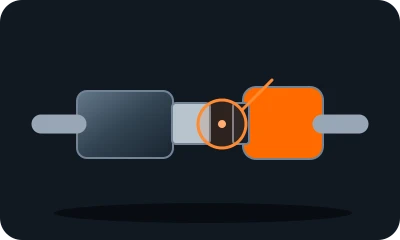
Reference diagram. The marker shows an example inspection area. Follow your model's manual. 
Conceptual illustration. Follow the text and your model's manual. Find the manual and model identifier. Photograph the initial condition. Start with reversible checks that do not open the casing or require force.
Expected result: You understand the model instructions and can safely perform the listed tasks.
About 3 min
Stop if: The model, access or safe preparation is unclear.
- 2
Check compatibility
Reference diagram. The marker shows an example inspection area. Follow your model's manual. Conceptual illustration. Follow the text and your model's manual. Check both manuals and compare ports. Optical audio may not carry control commands like HDMI.
Expected result: You know which control method is supported.
About 4 min
Stop if: A cable or port is damaged.
- 3
Enable documented control
Reference diagram. The marker shows an example inspection area. Follow your model's manual. 
Conceptual illustration. Follow the text and your model's manual. Note settings. Enable the manufacturer's CEC option and soundbar output if both models support them.
Expected result: Both devices use a compatible control mode.
About 4 min
Stop if: The option unexpectedly switches other equipment on.
- 4
Test at low volume
Reference diagram. The marker shows an example inspection area. Follow your model's manual. Conceptual illustration. Follow the text and your model's manual. Set a low volume using the soundbar remote. Test one press on the TV remote. Restore the previous option if needed.
Expected result: Volume changes predictably.
About 4 min
Stop if: Sound suddenly becomes very loud.
- 5
Check the outcome and save your notes
Reference diagram. The marker shows an example inspection area. Follow your model's manual. 
Conceptual illustration. Follow the text and your model's manual. Restore parts to their normal position as instructed. Perform one brief, safe check. Note what changed after each task; if the fault remains, give a technician the model and a photo of the symptom.
Expected result: The symptom has stopped or you have clear notes for a technician.
About 3 min
Stop if: An unsupported connection needs a compatible control method, not rewired cables.
When should you call a professional?
An unsupported connection needs a compatible control method, not rewired cables.
Does your situation look different?
Take a photo — FIXIT will assess your fault and suggest checks for your situation.
Check your problemThis guide is for information only. If unsure, get professional help. In an emergency, call 112.